Posts

Now Google are going to charge for Photos.

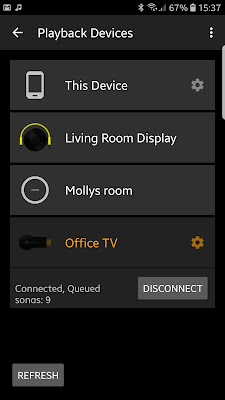
As has become the pattern with Google, the freemium products that entice you in to use their services and devices, like Google Music, manifest to become something utterly useless, unless of course you pay. But now, with Google Photos even if you pay, that service is still going to become useless, until you pay some more, and the year after that, even more and so on... I love convenience and if there's a solution that offers it, I will usually be an early adopter. Google Music was tremendous as it let you synchronise the music on your computer, with a cloud based service so you could access your entire music collection from your (Google) Android device. That switched to YouTube music, a service that is worse in every respect. Lower streaming quality, a dreadful interface, and no more streaming from your phone to your Chromecast Audio that you bought in good faith.... from Google.  And the same thing is happening with Google Photos. That superb service that allowed you to easily back...

Transferring video files without losing quality.

Image
Over the past few weeks and months I have been asked to produce a number of videos for virtual events. For some I have done the filming which makes things super easy, but for others I have collated clips made by the clients. For some the most convenient way has been to use Google Drive, Microsoft One Drive or another cloud based storage solution, which from a Laptop or Desktop computer isn't too much of a problem. But capturing video on a mobile device makes so much sense, as the camera quality can be exceptional, and when paired with a lapel mic (which can be used with 99% of smartphones nowadays), a tripod and some natural light, near professional results aren't too difficult.  But unless you're an everyday user of Google Drive, or Dropbox then transferring that video can prove tricky. Using Whats App or Email usually compresses the video to an unacceptable degree. Resolution is lost, sharpness is lost and the effort you put in, to get clear audio, can also be lost.  So w...

Why my phone purchase gave me sleep anxiety.

Image
I've had my Samsung S7 edge since 2017 and for the most part it's been a solid purchase. It's a beautifully designed phone in gold, with wireless charging, fast performance, a tremendous camera an IP68 rating, glass rear, fingerprint sensor in the button, heart rate and O2 sensor. But now with my high usage, the battery is starting to let me down. Buying a replacement for a flagship handset has been a challenge. Upgrades should have all of the features of your old phone and then some, right? Well, I also have a general rule which makes things far more difficult, I don't take contract phones (I have a £10 12Gb 30 day Sim deal from Voxi  [voda] which is fine thanks, use link for the same deal and a £10 amazon voucher) and I don't buy phones for more than £500, in fact the S7 Edge was a bargain as I bagged it in a a Black Friday event for less than £380, so finding a replacement for this has been eye opening. The assumption that flagship features move down onto cheaper...

Hwb email forwarding

Image
So my Mum is a retired headteacher, although you would struggle to notice as she volunteers her time to a local school as a teacher, and like many, uses Hwb. She does however struggle with her email, as a non smartphone user, she hasn't configured her mail app to use it so, apparently, their school secretary emails her on her personal email, to let her know when she has email in her Hwb account. Then, my Mum will open her computer, click on her saved link, login to check, read and respond.  Hardly convenient.  Like my Mother, and presumably many others, I do not use my Hwb email as my primary account, so I have set up email forwarding. This means when an email comes in, I will instantly receive a copy on my school email and I can respond accordingly. Without the need for our school secretary to get involved.  So how is this done? So for my Mum and anyone else who needs it, it's done like this.  Log in to Hwb and navigate to Outlook. In the top right, click the Gear i...

A satisfactory solution to the demise of Google Play Music

Image
For generations before music streaming every record on earth became a thing, there have been music lovers known as collectors. Discerning music lovers who will audition, listen, share, and ultimately 'collect' albums to add to their ever growing library. People who would selectively spend their money on supporting artists they loved, by buying albums instead of paying subscriptions to global corporations who are known to pay a pittance to artists .  Collectors total album count are their badge of honour, their knowledge of each artist and history, their passion. In the 1970s Vinyl was the collectors medium of choice. For portability in the early 80's Cassette's become almost as popular (although not for the true audiophiles). Then in the mid 80's the Compact Disc became the long term winner for many millions of collectors and in the late 90's MP3 made it's first appearance. With low bandwidth and small hard disk drive sizes, the best we could realistically h...

Youtube Music is nothing compared to Google Play Music.

The transfer is complete, my music collection that I have enjoyed listening through Google Play Music for the best part of a decade has now moved to the new improved cash machine that is Youtube music.  The end of an era, the end of listening to albums cast to my hifi at 320kbps.  So what is my problem with Youtube Music? Let's start with the least infuriating feature. Finding an individual album (that I own and have uploaded) is now incredibly difficult. Albums and Artists are listed on separate tabs. Tap either, through the web or the app, and you're presented with the YouTube Music Artists you have bought, which is none, so I have to manually switch it to uploaded. If I'm looking at Albums, they're not listed in artist order, but album title. With 10,000 songs, that's a lot of albums to scroll through and loading time isn't great, so getting to 'The Seldom Seen Kid" or anything lower down in the alphabet takes forever. But there is an easier way, bei...

My suggestions for avoiding problems with Google Drive shared folders.

As I have recently found out, having a team member leave a shared Google Drive can be infuriatingly complex . The best way to handle a shared Google Drive is by using an admin account for the organisation. All of the folders within a share, should be managed by this one account. If they are created by the key member representing the organisation, then the sharing permissions for the folder can be managed by the admin. The admin can remove people from the share, or share the folder or files with other people. Other team members should not create new folders within the Parent folder. Other team members should, as a matter of course (for their sake as well as the organisation, upload folders, but as a matter of habit, make the owner of the file or folder the orgnisation's admin account. If you already have an active share with hundreds of valuable files, between a number of people, then you can prepare for future issues (someone moving on) in a couple of ways. There may be better ways...